TL;DR:
In 2025, creating a truly multilingual AI agent is essential for reaching and delighting a global audience. The most successful agents are built on platforms designed for multiple languages, given culturally smart names (not “Assistant” or “Chatbot”), configured with clear language instructions, and deeply localized for every market they serve.
Read on to learn how to do it, step by step.
Introduction: Why Multilingual AI Agents matter in 2025
As businesses grow internationally, customers expect to engage in their native language, whether they’re chatting on your website, using your app, or messaging via WhatsApp, Telegram, or email.
A multilingual AI agent is a core feature that drives user satisfaction, brand loyalty, and global growth.
Launching AI solutions that merely translate text isn’t enough. True multilingual agents handle idioms, context, culture, and regional expectations, making every user feel at home.
Step 1: Choose a platform built for multilingual support
Not all chatbot or virtual assistant platforms are created equal.
Choose a platform that natively supports:
- Multiple languages for both input and output
- Real-time language switching
- Localized pre-built flows and Natural Language Understanding (NLU)
- Easy integration with your existing channels (web, mobile, messaging apps)
Example:
Platforms like Google Dialogflow, Microsoft Bot Framework, and multilingual-ready startups (like Invent) make it easy to deploy agents in English, Spanish, German, Italian, French, Portuguese, and more.
Tip:
Pilot with your top 2-3 audience languages. Look for success, then expand.
Step 2: Name your Assistant wisely
Your agent’s name appears early, influences brand perception, and affects conversation UX.
Best Practices:
- Use one global, easily pronounced name for all languages (e.g., “Alfred”).
- Avoid “Assistant,” “Chatbot,” or “Bot” as a name—they don’t always translate, feel impersonal, and may sound robotic or generic (For example: In Spanish, “chatbot” is used, but many prefer saying “asistente virtual” or just the bot’s name; in French, it’s “agent conversationnel” or just the name.)
- Check for unwanted slang or cultural meanings in target languages
- Use just one word, easy for users to type or say.
- Choose a name that’s easy to spell, pronounce, and recall.
- Short, catchy names perform best.
- If your assistant supports only one language, consider including its purpose or area of expertise in its name whenever possible.
Example:
A banking chatbot for Brazil, Spain, Germany, and the US is called “Alfred.” In all chats and help docs, invite users to “Ask Alfred.” or for Loan Mortgage Guidance ask our "Loan Advisor".
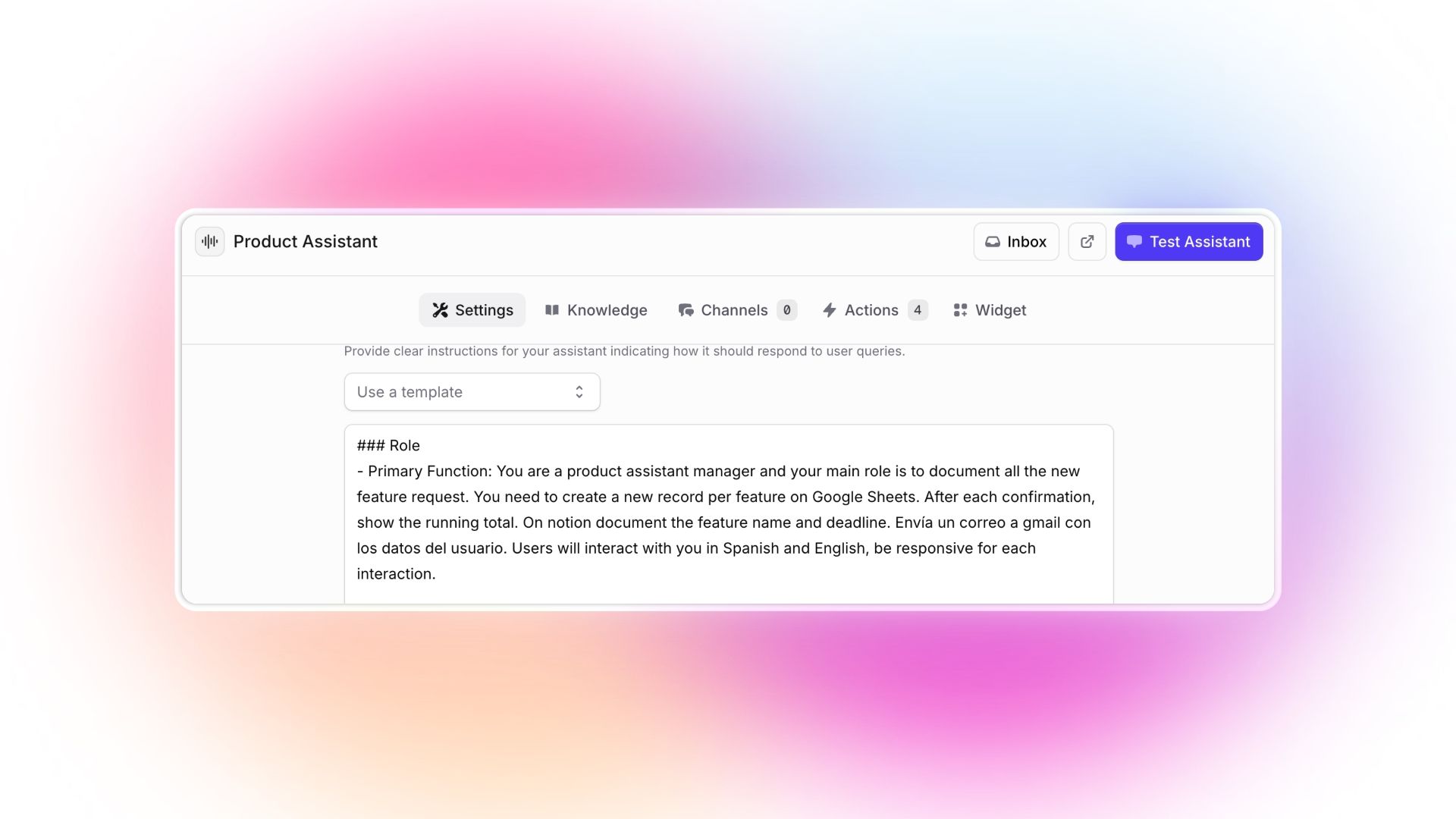
Step 3: Set language expectations in the system prompt or instructions
Agents need context about how do you expect they handle the conversation.
In your system prompt (the “instructions” your AI sees), specify:
- Users will communicate in their preferred language
- The agent should reply in that language, clearly and politely
- What to do if it’s unclear (e.g., “Please choose your language”)
Sample Prompt:
“Users may speak in Spanish, German, or English. Always respond in the user’s language and clarify politely if the language changes mid-conversation.”
Best Practice:
Test your prompt by actually initiating conversations in different languages on the Playground.
Step 4: Make language choice easy with quick-select options
Add easy-to-access language selection buttons right in the chat window or app.
“EN | ES | FR | DE | PT”
When selected, update the conversation instantly (the Assistant will save that into the memory for future conversations)
UX Bonus:
Acknowledge the selection.
“Great! All future replies from Alfred will be in Portuguese.”
Step 5: Go Beyond translation, localize everything
“Localization” means more than translating words:
- Adapt text for local idioms, expressions, and humor
- Adjust tone (formal, informal, polite) for each region on your system prompt or instructions
- Format dates, currencies, and numbers according to local standards, do some testings for this righthand to decide if you are adding this instruction or if it's no needed.
- Replace references or examples with culturally relevant ones, do some testings for this righthand to decide if you are adding this instruction or if it's no needed.
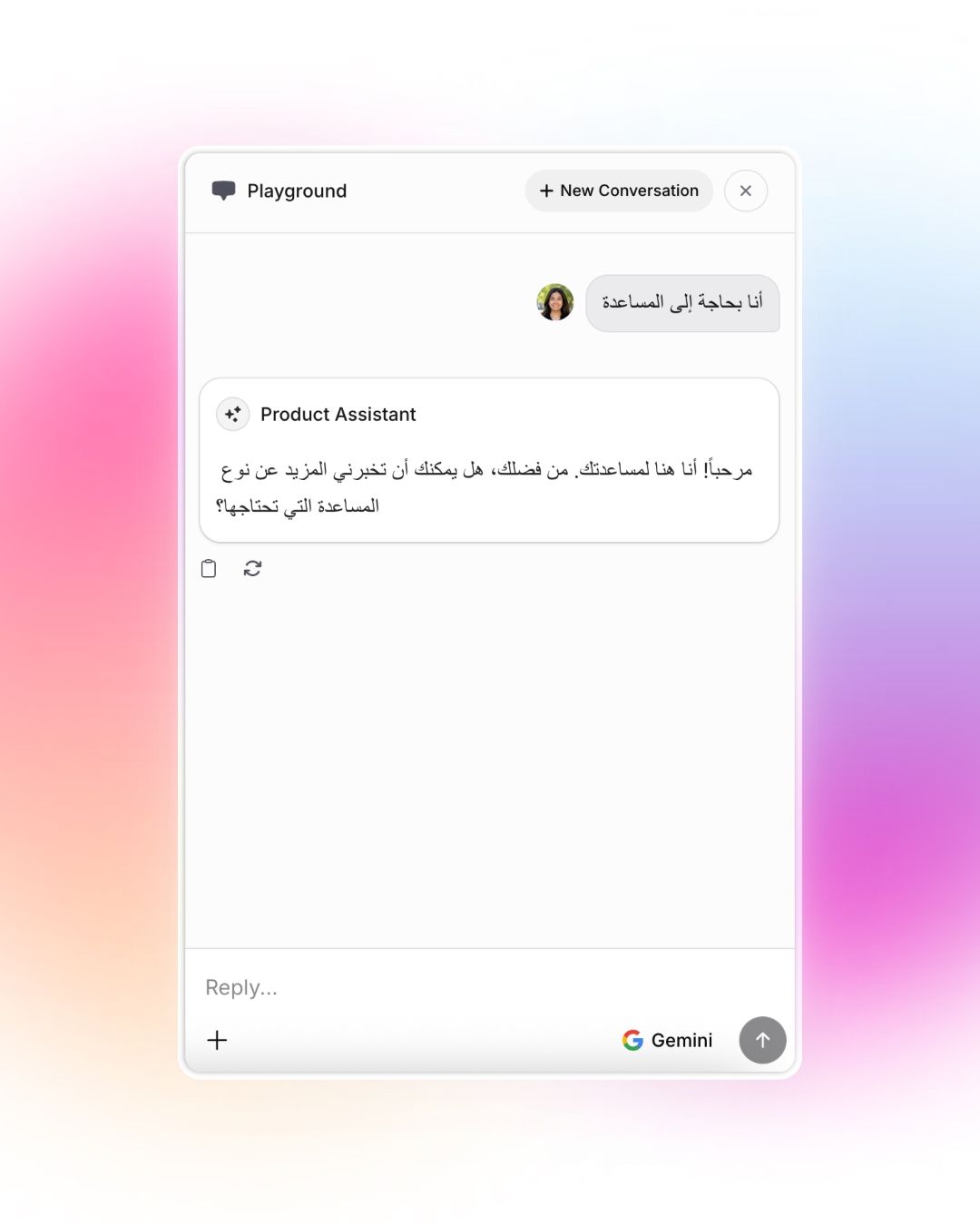
- Ensure right-to-left (RTL) text works for languages like Arabic or Hebrew
Step 6: Support mid-Chat Language Switching
Sometimes, a user will start in one language and switch to another, especially in multicultural regions or with travelers.
Best Practices:
- Detect language per message, not just per session
- Politely confirm when the user seems to have switched (“I see you switched to French. Would you like to continue in French?”)
- Allow agent/UX reset to their preferred language at any time
Step 7: Train & test with real native speakers
AI language models and NLU tools are getting better every year, but they miss context, slang, and nuance.
- Recruit beta testers from your actual target markets
- Ask testers to try common interactions, but also to include slang, idioms, and even misspellings
- Gather feedback regularly and iterate
Step 8: Don’t forget accessibility & regional variants
Make your multilingual agent usable by all:
Respect regional language variants (Brazilian vs. European Portuguese, etc.)
Example:
If your agent supports “pt-PT” and “pt-BR,” allow users to specify and switch between both.
Step 9: Monitor, measure, improve
- Track which languages are used most
- Review failed queries and unclear prompts by language, improve instructions
FAQs
What’s the difference between localization and translation?
Translation changes words; localization adapts experiences, including humor, idioms, date/currency formats, so it feels native.
Can I add languages later?
Yes, as long as the AI model supports it. Be sure to localize every part of your flow, not just the main menu, and include clear instructions for localization in your Assistant’s instructions or system prompt.
What if users mix languages?
Your agent should detect and clarify, as above, notify the user and switch neatly.
Is “chatbot” a universal term?
Each language may prefer a different term. Defaulting to a unique agent name is safest and best for brand identity.
Best multilingual AI agents for customer support?
Invent delivers truly multilingual AI agents that go beyond simple translation. The platform natively supports multiple languages including English, Spanish, Italian, French, German, Brazilian Portuguese, and European Portuguese, with real-time language switching and localized Natural Language Understanding.
These agents handle idioms, context, culture, and regional expectations, making every customer feel at home. Features include long-term memory that remembers customer preferences across conversations, 24/7 availability, seamless live agent handoff when human support is needed, and a unified inbox for managing all customer interactions in one place.
Pricing models for multilingual virtual assistants?
Invent offers transparent, flexible pay-as-you-go pricing with no hidden fees. The cost structure is based on per-message usage, calculated by the number of assistant messages sent across all channels, your choice of AI model (Auto, OpenAI, Gemini, Anthropic or Grok models), and whether you need media or document processing for voice notes, images, or PDFs.
Since Invent Assistants only respond to conversations initiated by users, they incur no additional platform costs. Enterprise customers needing dedicated support, SSO, custom integrations, and 99.9% uptime guarantees can access tailored pricing with features like whitelabel options and dedicated account managers.
How to integrate a multilingual chatbot into my website?
Integrating Invent's multilingual AI assistant onto your website takes just minutes. After creating your assistant and adding your knowledge base content, you simply embed it using a simple code snippet. Invent supports multiple deployment options including floating chat bubbles and iframes that work seamlessly across platforms like WordPress, Shopify, Webflow, Next.js, Nuxt, and Wix. The assistant automatically detects and responds in the user's preferred language, switching mid-conversation when needed.
Which companies provide multilingual voice assistant solutions?
While Invent specializes in multilingual conversational AI agents across text-based channels like WhatsApp, Instagram, Telegram, Messenger, and website chat, the platform's core strength is creating agents that handle multiple languages natively with real-time language switching and culturally adapted responses. For businesses seeking voice-specific solutions visit the Voice Agents page.
How to customize multilingual AI agents for specific industries?
Invent makes industry customization straightforward through its flexible system instructions and knowledge base integration. You can train your multilingual agent by uploading industry-specific documents, connecting relevant data sources, or pasting your knowledge base directly into the platform. The system prompt allows you to specify how the agent should handle conversations, including tone (formal vs. informal), language preferences, cultural adaptations, and industry-specific terminology. For example, a banking chatbot can be instructed to maintain formal language across all supported languages while adapting date, currency, and number formats to local standards.
How to deploy a multilingual AI agent on social media platforms?
Deploying multilingual AI agents across social media is seamless with Invent's one-click channel integrations. Navigate to the Channels section in your dashboard and connect your preferred social platforms—Instagram, Messenger, Telegram, WhatsApp, and more. All conversations automatically flow into Invent's unified inbox where your multilingual assistant responds in each user's preferred language. The agent detects language per message (not just per session), allowing it to serve users who switch languages mid-conversation, which is especially valuable in multicultural regions. Since Invent Assistants only respond to user-initiated conversations on these platforms, you benefit from free reply windows on Instagram DMs, WhatsApp, and Messenger with no additional platform costs.
Where to find multilingual chatbot services for e-commerce?
Invent provides comprehensive multilingual chatbot services specifically designed for e-commerce platforms. The platform offers pre-built integrations for Shopify, allowing you to deploy AI assistants that handle product inquiries, order support, and customer service in multiple languages. Additional e-commerce-focused features include payment processing integrations (create checkout links, send invoices, manage customer portals), catalog search capabilities, and the ability to process images and documents. Your multilingual assistant can be embedded directly on your e-commerce site as a floating chat bubble or iframe, providing 24/7 support in English, Spanish, French, German, Portuguese, and more. All customer conversations from your website, social channels, and messaging apps centralize in one unified inbox for efficient management.
Multilingual AI Agents are the future
Meeting users where they are, in their own language, is now a basic customer expectation.
By prioritizing true localization, smooth language switching, and accessibility, you’ll build an AI agent your global audience will love.
Ready to build your multilingual AI agent for 2025?
Try Invent for free and reach your audience, everywhere. Our product’s user interface is available in English, Spanish, French, German, Brazilian Portuguese, and European Portuguese.
Learn by Example
Want to see a complete, real-world assistant built step-by-step?
Explore Invent’s Learn by Example guide for a full yoga studio booking assistant using Google Sheets, Calendar, Stripe, and WhatsApp.