Transform how you connect with customers
Are you a business owner or agency looking to increase conversions, simplify support, and future-proof your operations with smart automation? Here’s a practical roadmap, from multi-channel AI customer support automation for small businesses design to chatbot deployment for marketing, onboarding, and compliance. Let’s create a conversational experience your users enjoy and your team relies on.
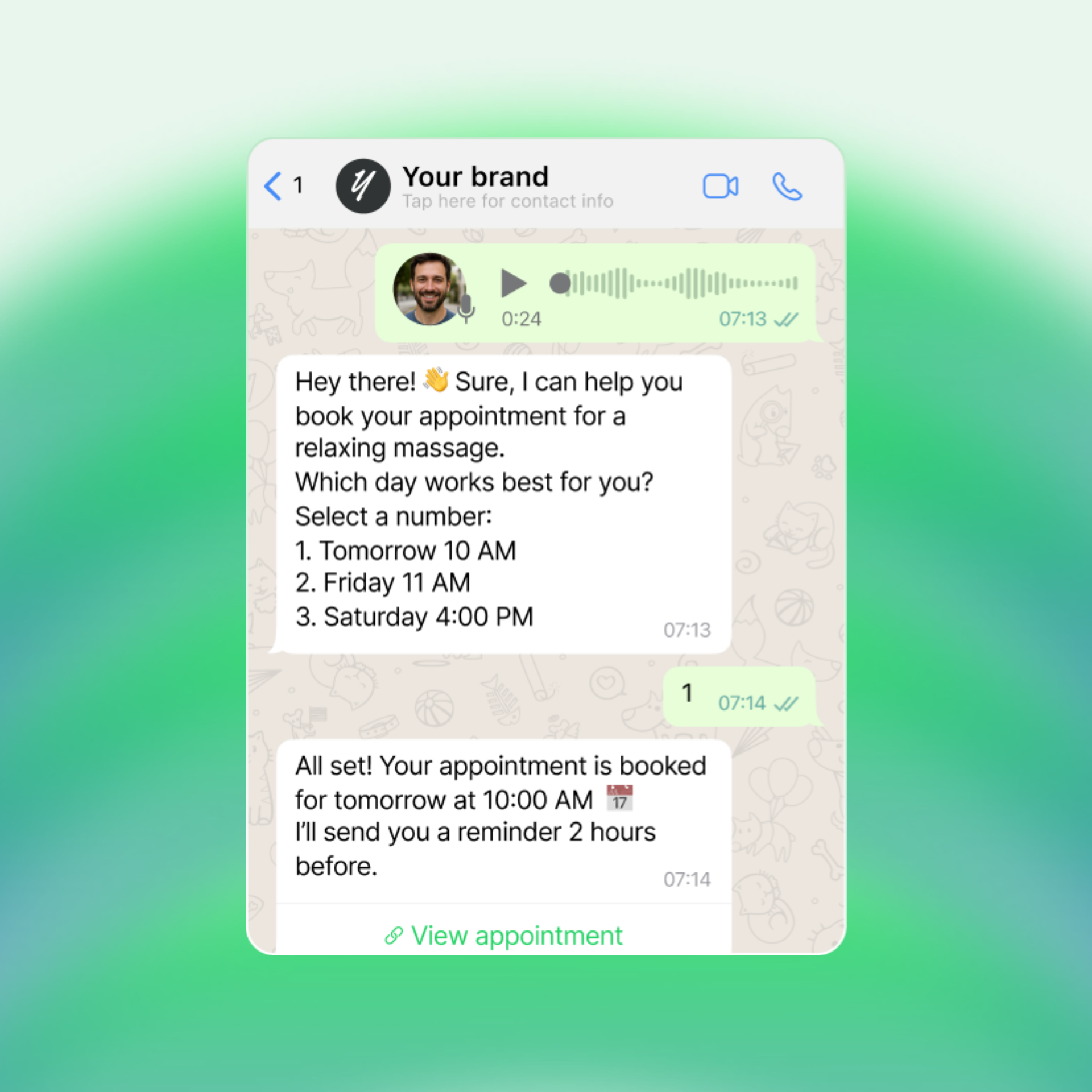
Step 0: Why conversational experiences matter
People expect help that’s fast, natural, and personal. Whether through WhatsApp, Instagram, Slack, email, or your website, users want to interact on their terms. Traditional forms and static portals create friction; conversational interfaces break it down. On Invent we always say: The Future is Conversational and it is! As an example there are more than 3B monthly active users on WhatsApp.
Key benefits:
- Accessible for everyone: Chat, voice, or image, your customers get assistance instantly, whether they’re on mobile or desktop.
- Seamless across platforms: Serve users wherever they already are with unified text, voice, and visual support.
- Personalized and dynamic: Deliver real-time responses and tailored experiences that improve satisfaction and conversions.
Conversational design adapts your brand to the customer, not the other way around.
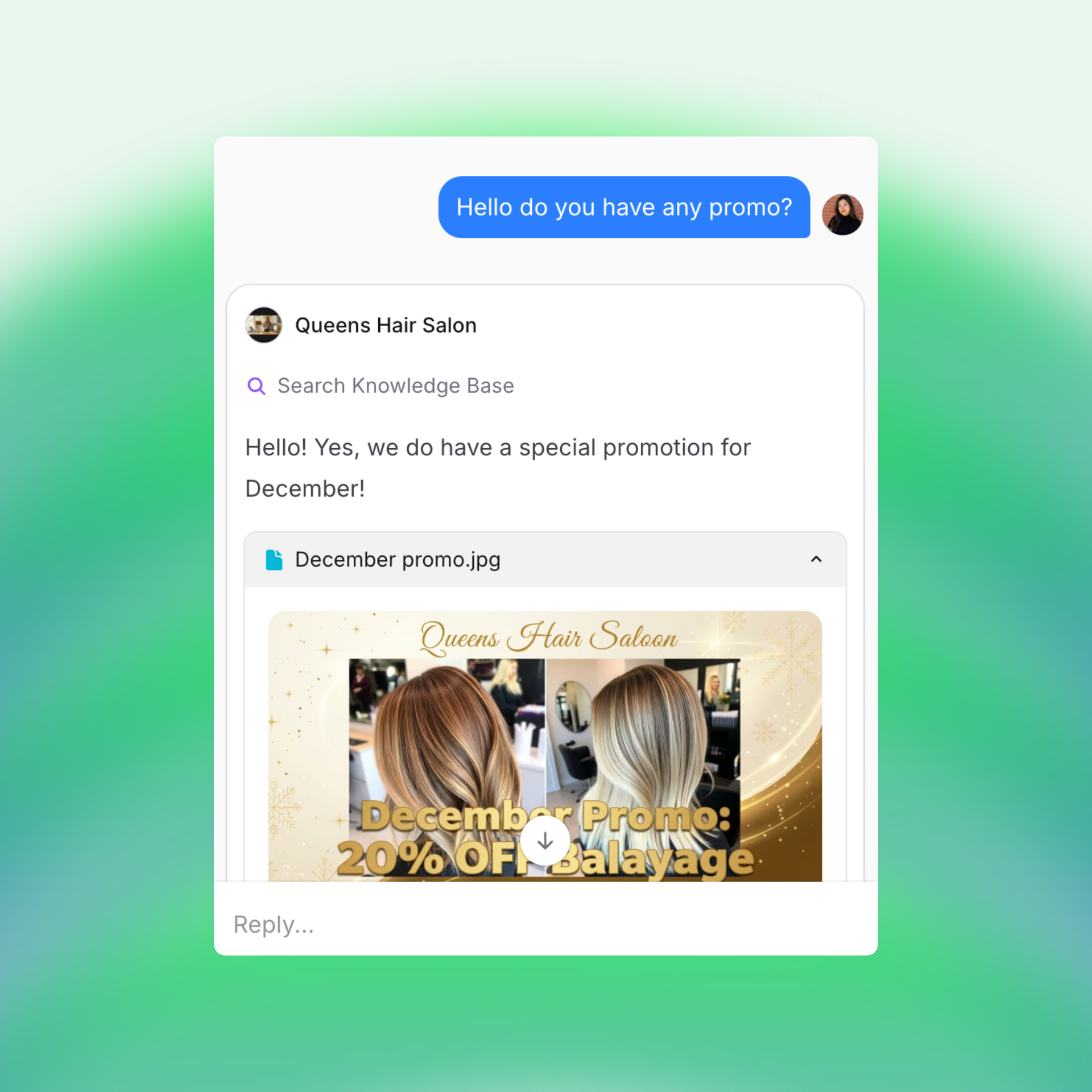
Step 1: Start with real business needs
Before building, clarify what success looks like:
- What drains time and resources on your team?
- Who are the key stakeholders: Support, Marketing, Compliance, Operations?
- Which processes could automation improve most?
Use design thinking: focus on solving the problems that matter, not just adding technology.
Step 2: Understand your users
Design around empathy, not assumptions.
- Observe customer support in action, interview stakeholders, map journeys.
- Identify friction points and moments where automation could add value.
When you understand the user’s true challenges, you’ll find your highest-impact use cases.
Step 3: Develop your strategy
Best practices for conversational UX design:
- Define your assistant’s purpose, support, onboarding, lead capture, or sales.
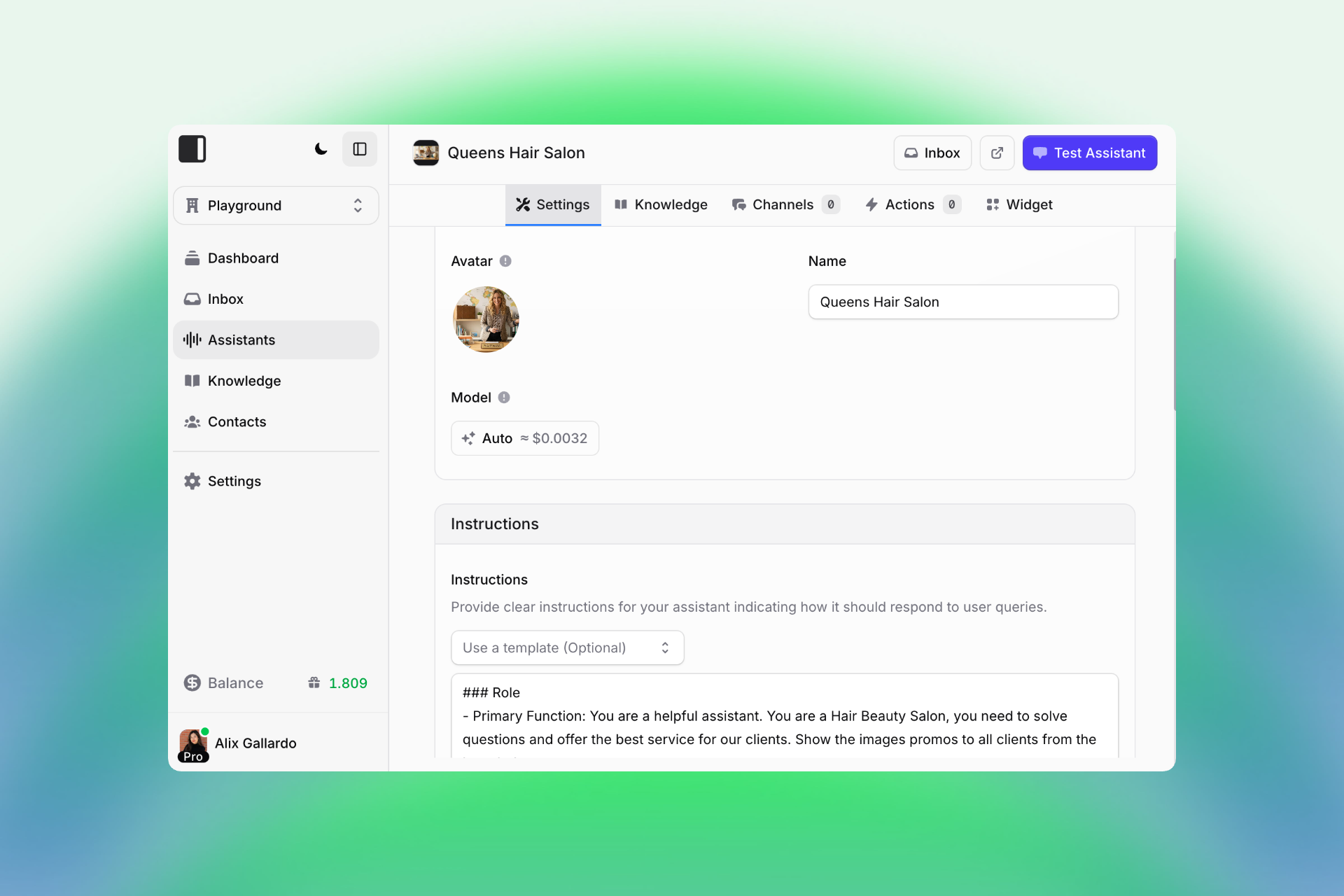
- Choose a friendly, brand-aligned name and avatar to build trust.
- Decide where your assistant will live, WhatsApp, Instagram, Slack, or your website.
Step 4: Choose your model
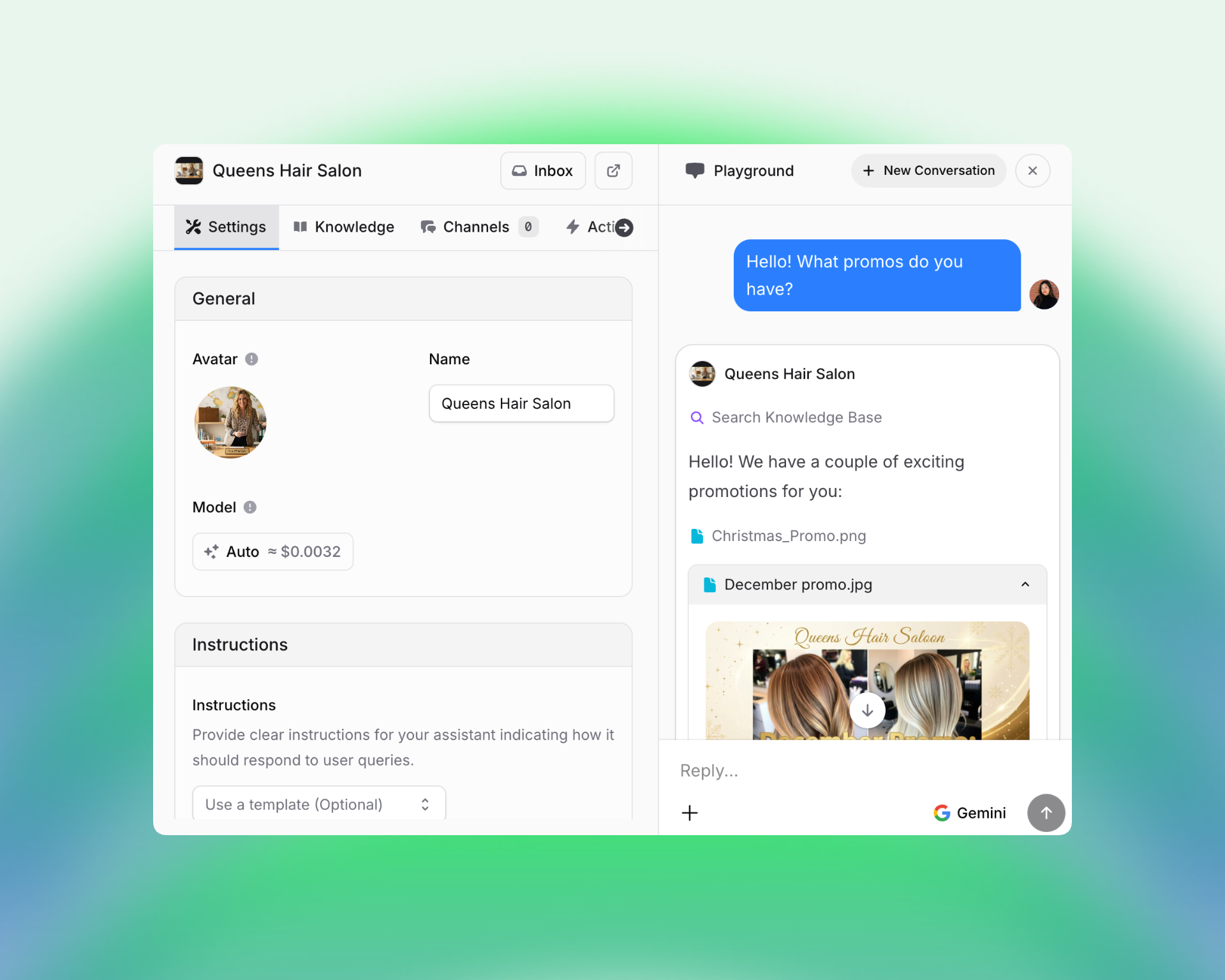
Choosing the right AI model for chatbots is crucial. Pick the right AI model for your goals, simple to start, flexible as you grow.
If you're new to AI world, start with Auto, the easiest and most adaptive model for most business use cases. Think of it as your all-in-one starter that intelligently adjusts to different conversation types, from quick FAQs to multi-step support flows. It learns from context and balances accuracy, tone, and efficiency right out of the box, perfect for getting results fast without extra setup.
As your project matures, test other specialized models for specific needs like compliance, marketing, or advanced personalization. Each model brings its own strengths, and with time, you’ll discover which combination best fits your workflow, audience, and voice.
Start with Auto to move fast. Learn more about models and pricing here.
Step 4: Set clear instructions
A well-defined system speaks consistently and stays on-brand.
- Outline role, goals, voice and tone.
- Outline constraints/limitations for your Assistant. (Do no ask personal data...")
- Provide example interactions under "Guidelines" (“If user asks X, respond with Y”).
- Test in a playground (right panel "Test Assistant") or pilot setting before full deployment.
Step 5: Expand capabilities
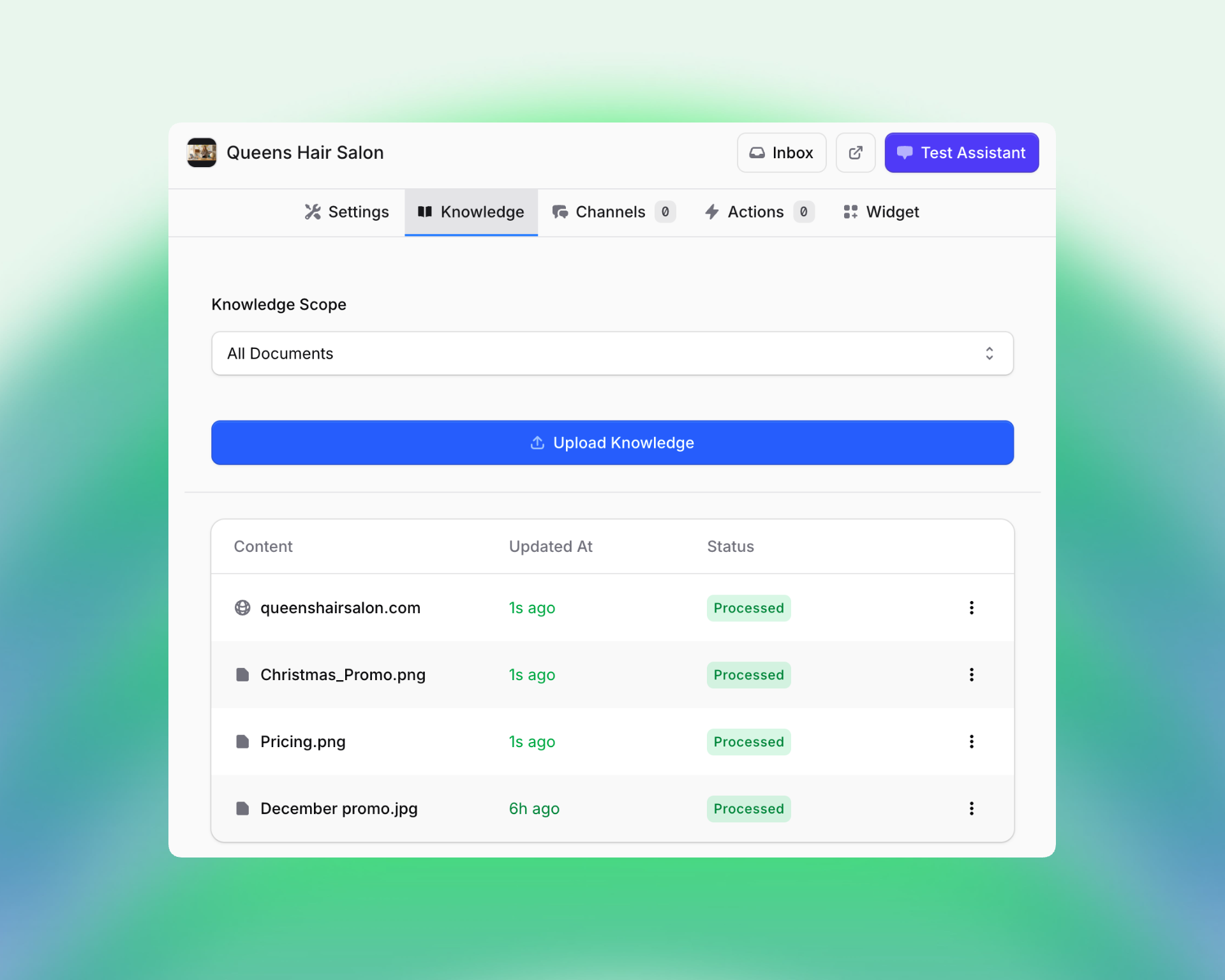
- Add guided flows, policies, and FAQs.
- Manage privacy with data controls and user permissions.
- Build an internal knowledge base for better, faster answers.
Step 6: Iterate and improve
Simulate real conversations, study feedback, and refine continuously. Short feedback loops accelerate learning, and success.
Step 7: Go Multichannel
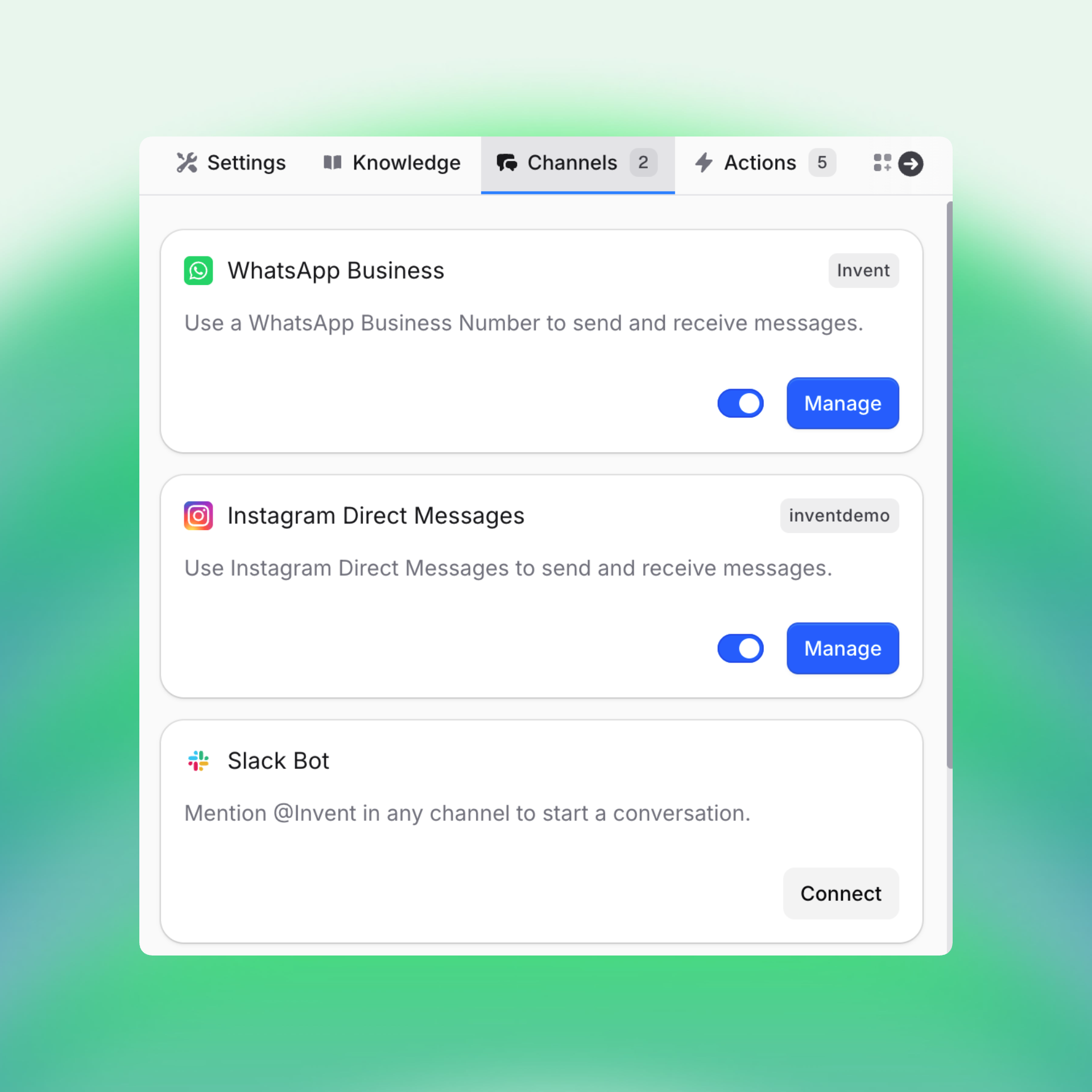
Connect your assistant to channels your audience already uses such as WhatsApp, Instagram, Slack, Gmail, Telegram, and more. Meet users where they are to build trust and increase engagement.
Step 8: Add Actions
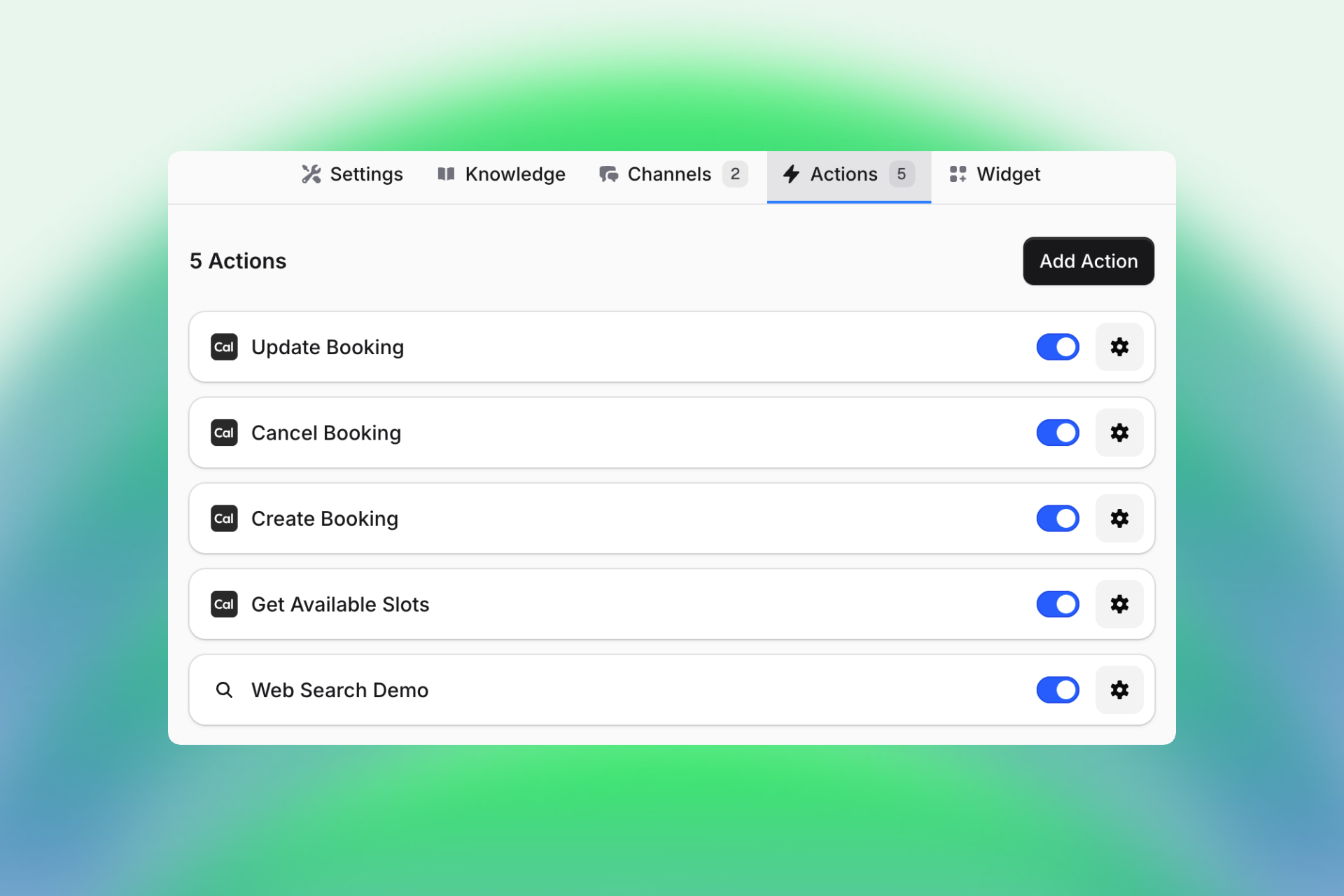
Connect Gmail, Salesforce, HubSpot, Notion, Cal.com, Calendly, Airtable, Stripe or any other (See all supported integrations on Invent here). Automate repetitive work, schedule meetings, sync data, update records, so your team can focus on what matters most.
Step 9: Embed seamlessly
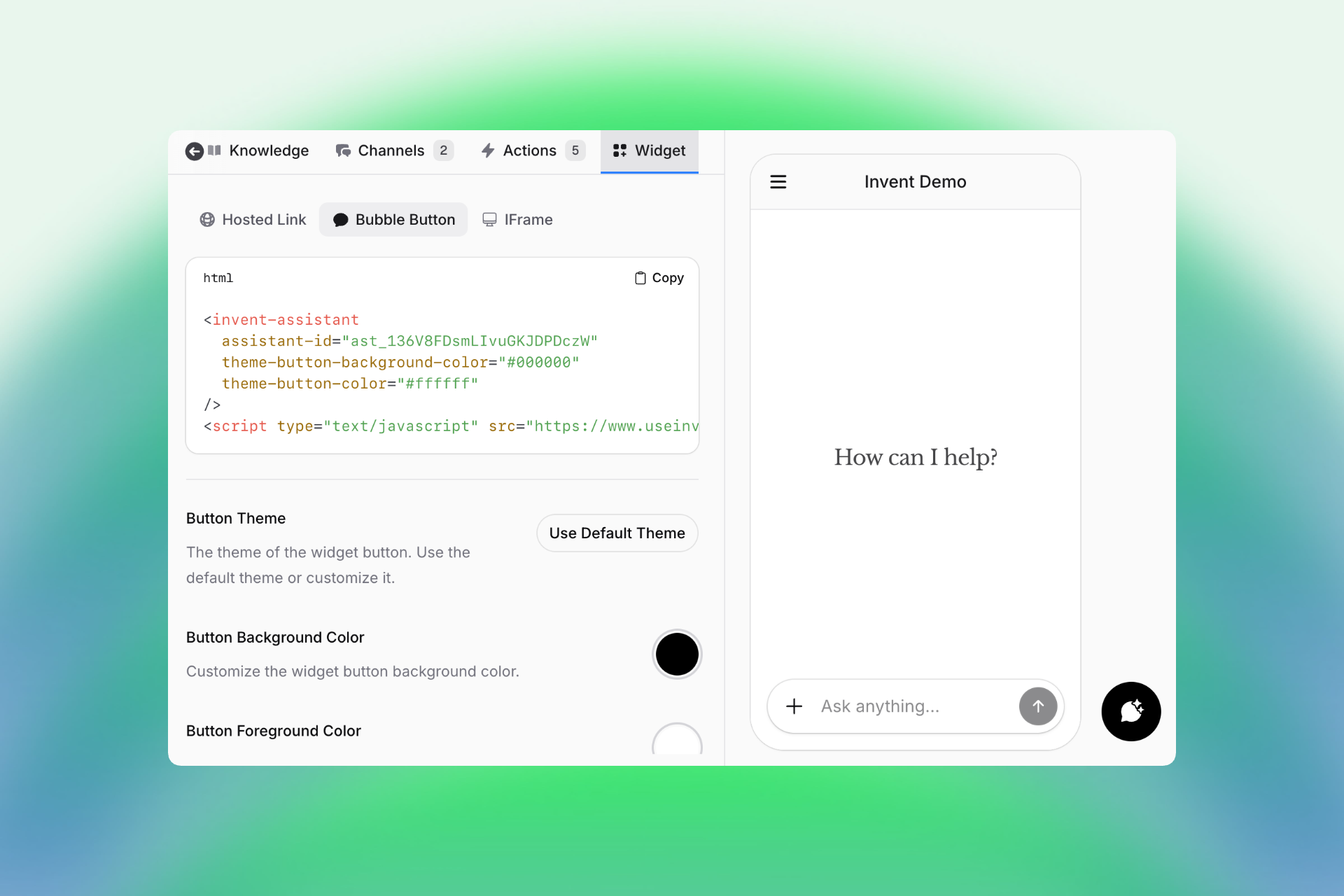
- Use a hosted link for demos, testing or clients.
- Add a floating bubble button to your site to capture leads and support users.
- Integrate directly into your website via iFrame for a native experience.
You just need to copy and paste, that’s it! Deploy instantly in production and start engaging users right away.
The continuous cycle
Monitor results, refine flows, and scale as your business grows.
Ready to elevate your customer experience with conversational experiences?
Start small, iterate quickly, and deploy across channels, then watch your conversions rise and your support load drop. Increase conversions and revenue with AI chatbots.
Build your own conversational experiences with Invent now.