TL;DR
Looking for an easy way to manage appointment bookings and scheduling?
Invent’s Cal.com and Calendly native integrations streamline your scheduling process from start to finish with instant confirmations, effortless rescheduling, and automated reminders.
Perfect for professionals and businesses ready to save time, reduce no-shows, and enhance client experience.
Why efficient appointment booking matters
Managing appointments effectively can set your business apart. Whether you run a small business, coaching practice, or manage client meetings, having a reliable online scheduling system is essential.
With Invent’s Cal and Calendly integrations, you can automate bookings through a conversational experience, directly connecting your calendars with AI-powered chatbots. Clients can instantly schedule, reschedule, or cancel meetings from your website chat or their favorite messaging apps as WhatsApp, Instagram, Slack, Telegram or Gmail, all without manual coordination.
This guide explores real-world use cases, answers FAQs, and shows how to build your own automated booking experience on Invent.
Top use cases for Cal and Calendly integrations
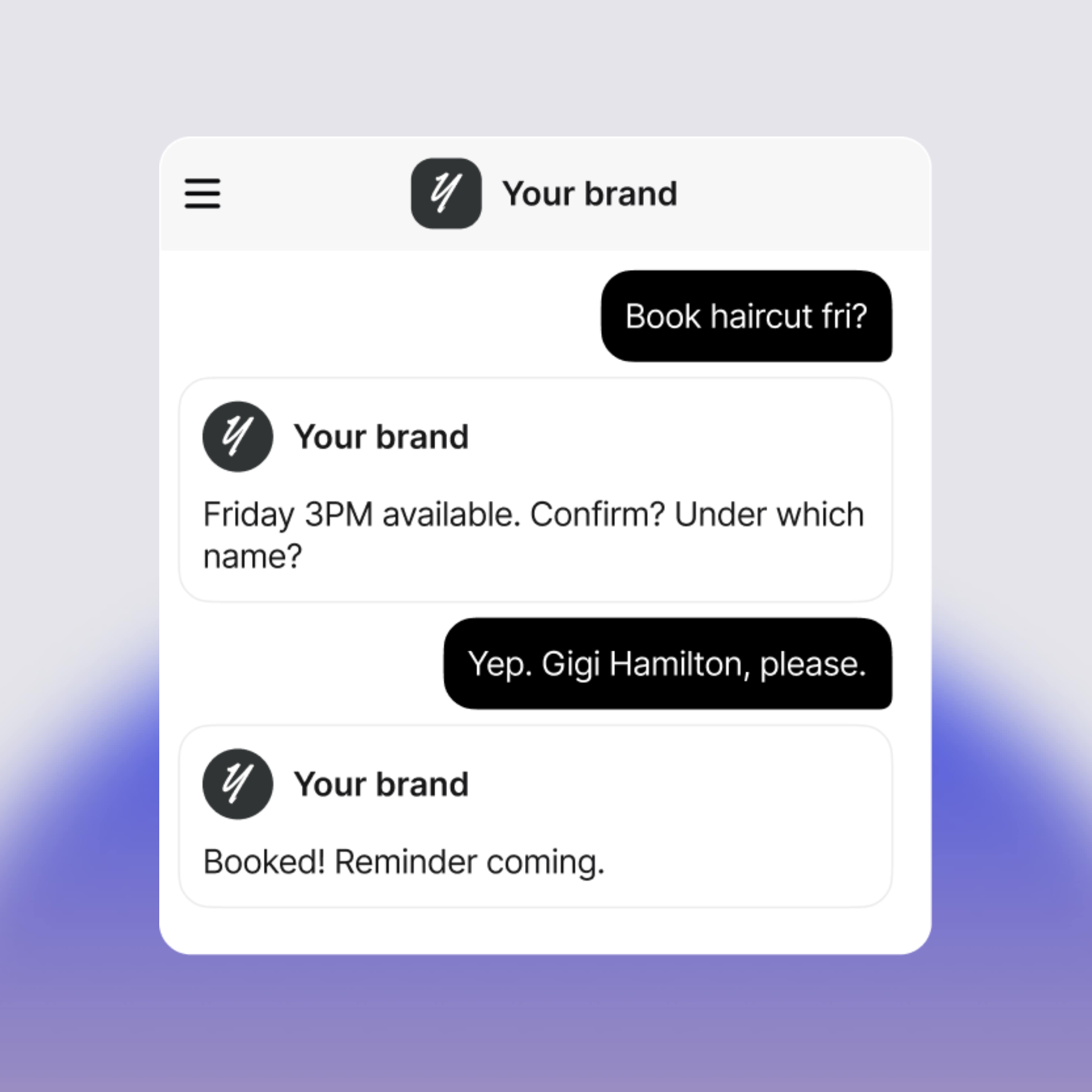
1. Instant appointment booking through chat
Clients can book a haircut, consultation, or meeting directly through your chatbot.
Invent’s AI assistant checks available slots in real time via Cal or Calendly and confirms instantly, no back-and-forth emails or phone calls needed.
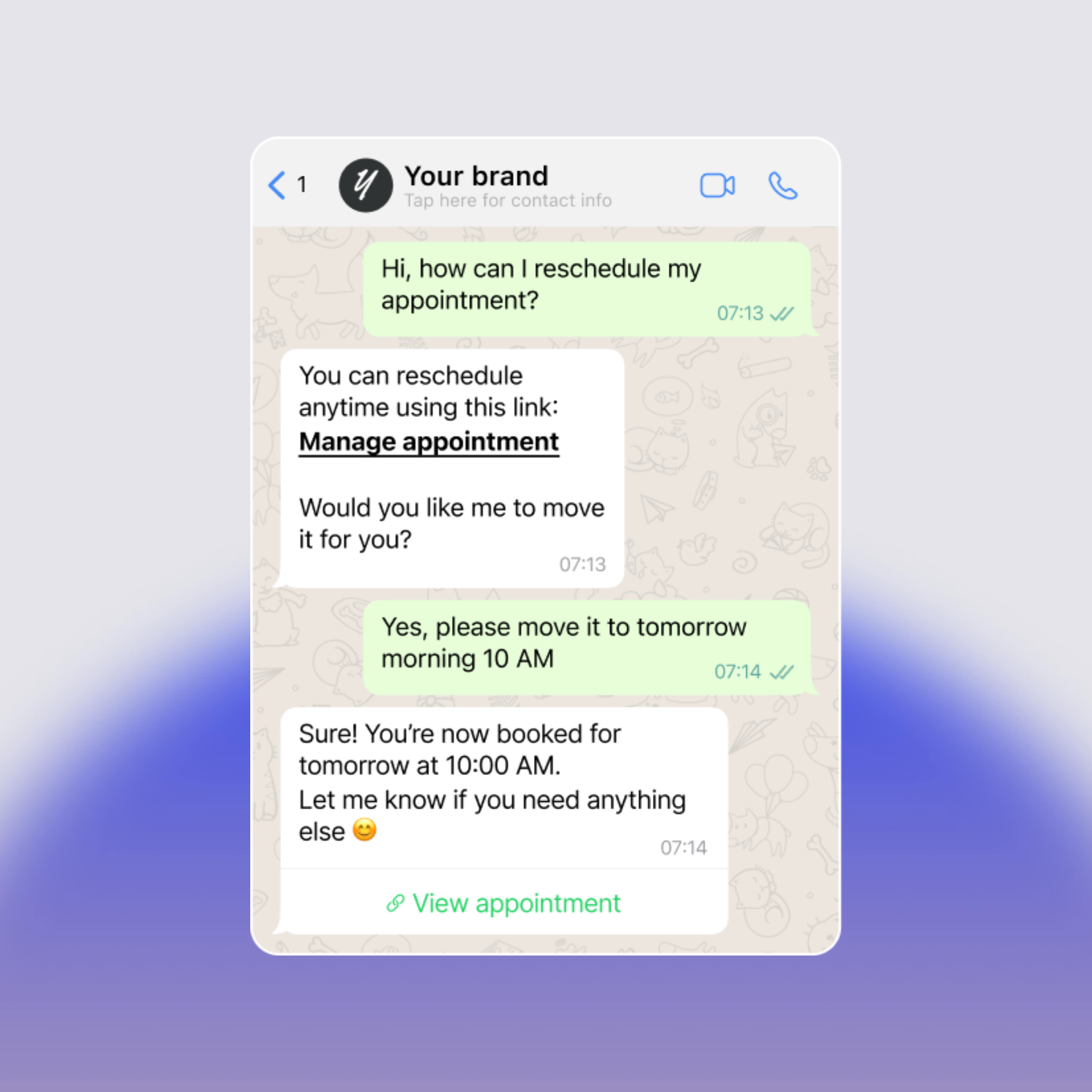
2. Easy rescheduling on WhatsApp and other messaging apps
Make rescheduling effortless.
Your clients can manage their appointments through WhatsApp or other chat platforms, receiving direct links to confirm or request new time slots instantly.
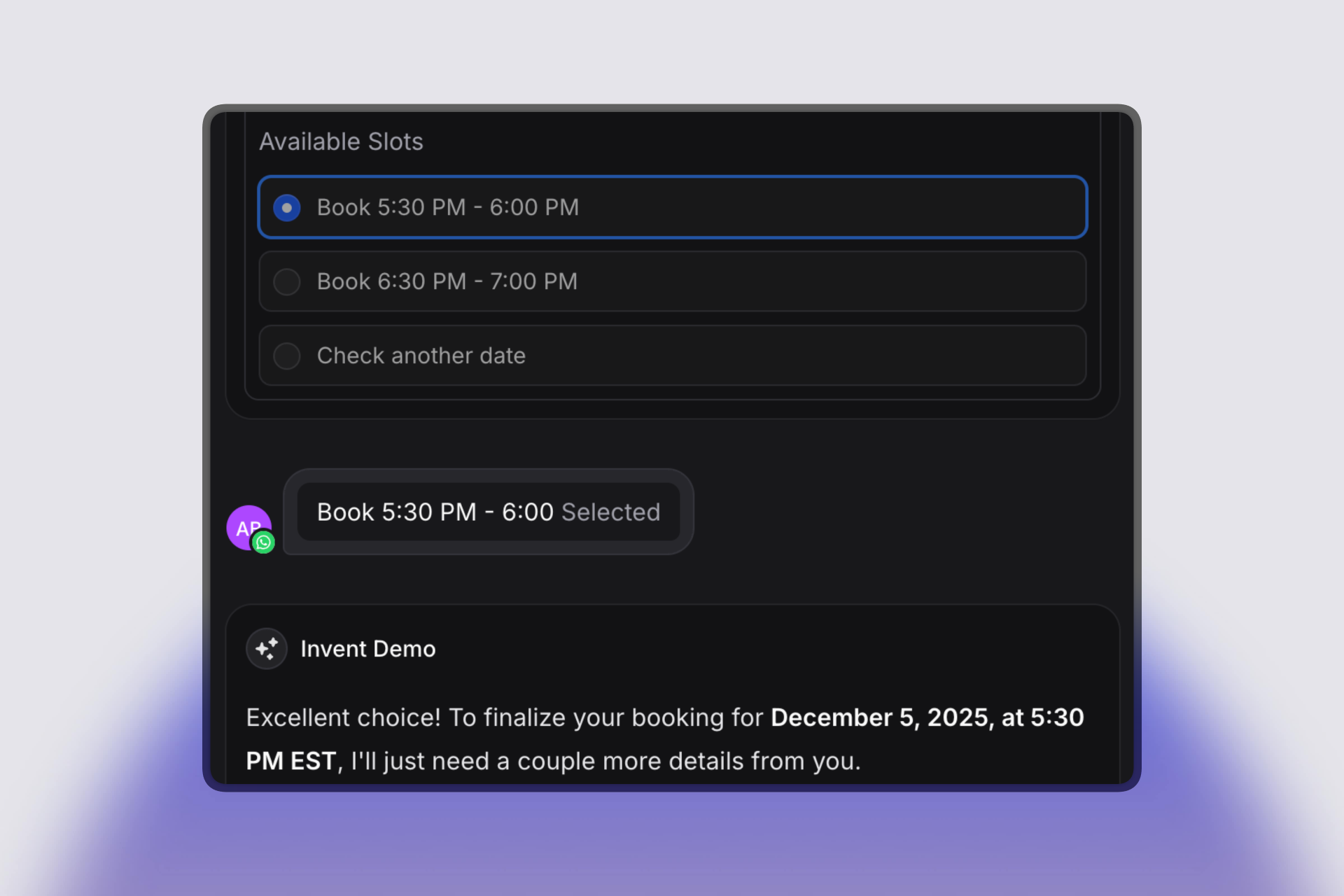
3. Smooth date and time selection
With Invent’s interactive chat interface, your clients can choose the best available time from a curated list of open slots. The experience is intuitive, quick, and mobile-friendly.
4. Automatic confirmations, Calendar Invites, and meeting links
Once confirmed, each booking includes calendar invites and video meeting links (Google Meet, Zoom, etc.).
Built-in reminders help reduce no-shows and keep your schedule organized.

FAQs
Can I use Invent for online scheduling with Cal and Calendly?
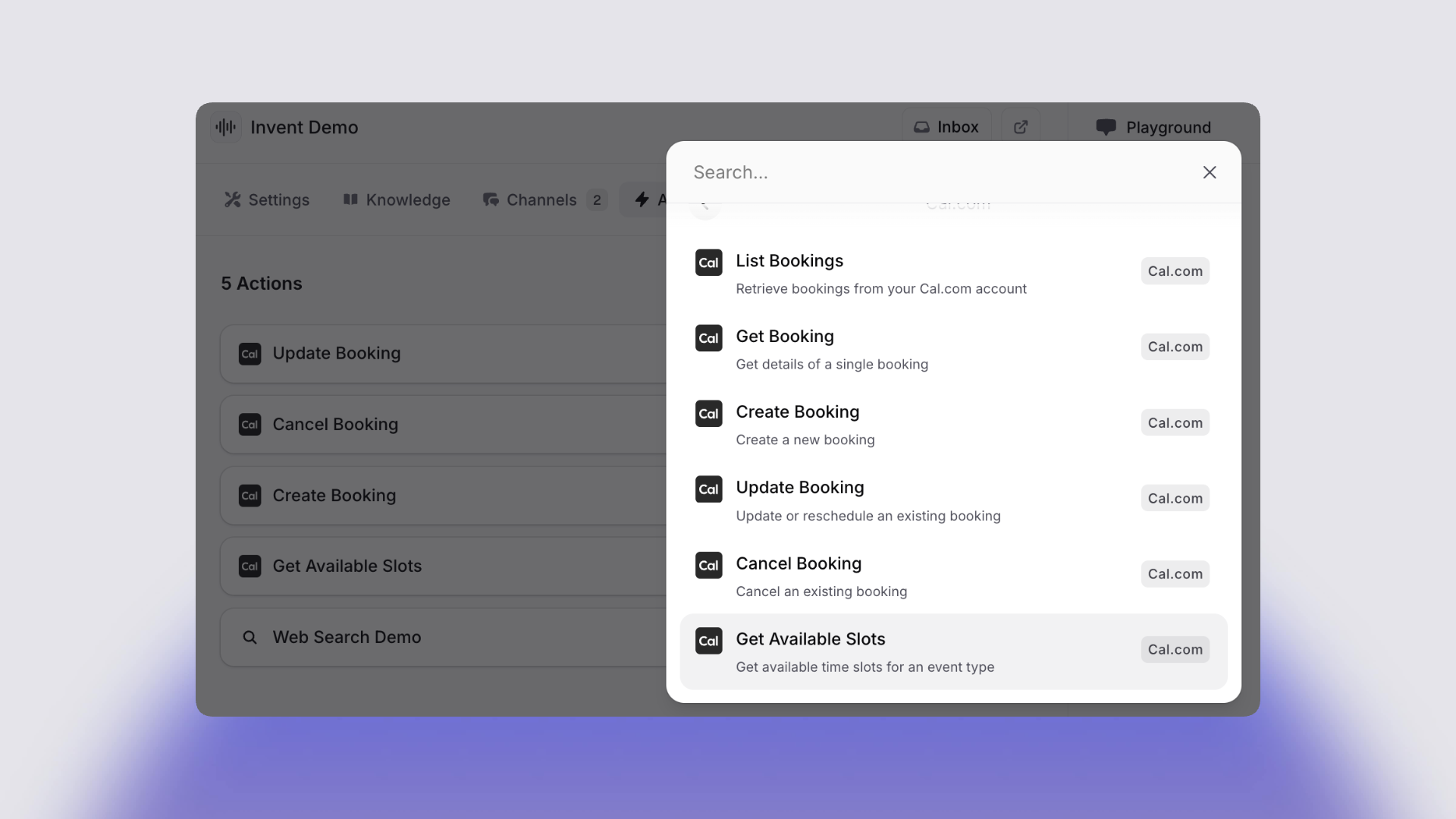
Yes, Invent integrates with Cal, Calendly and Google Calendar, giving your business flexible, automated scheduling options. You just need to add the required actions.
Are appointment reminders included?
Automatic reminders are sent through email or messaging to help clients show up on time. You can set up the reminders under each action.
How do rescheduling and cancellations work?
Clients can reschedule or cancel directly through messaging links or chatbot prompts, no manual coordination required.
Does it support video meeting links?
Yes, Cal, Google Calendar and Calendly integrations automatically add Zoom or Google Meet links to every calendar invite.
How to set up Cal and Calendly booking in Invent
- Select your Platform
You can choose between Google Calendar, Cal and Calendly. - Add your Actions
According the platform you choose, add the Actions related to your use case. As an example, for Cal and just to book Appointments you need to add 2 actions: "Get Available Slots" and "Get Booking". Connect your Cal Account on each Action. - Create a Booking Chat Flow
Place on the instructions the ideal user flow to design a conversation that offers bookings, captures details and confirms seamlessly, all with natural language. - Test the Experience
Run through sample bookings to confirm everything works on the playground. - Launch and Share
Embed your booking chatbot on your website, share it via WhatsApp, or integrate it wherever your customers connect with you.
Start automating your appointment scheduling today
Simplify booking, save hours each week, and deliver a better client experience with Invent’s Cal and Calendly integrations.
Let smart automation take care of scheduling, so you can focus on growing your business and serving your clients.
Start creating your AI Booking Chatbot/Assistant today!
Need help setting up your booking system?
Our team is here to guide you with one-on-one support or a personalized demo.
Learn more about all our integrations here.