December 07th, 2025
We’ve been delivering these features in different chunks over the last weeks, and now it’s a great time to share an overview of what’s live today and how you can start taking advantage of it to improve your conversational experience through AI Assistants with Invent.
White Label workspaces
White Label lets each organization fully brand the experience with logo, contact email, physical address, Terms of Service link, and Privacy Policy link, which then propagate across emails, the client portal, and other key interfaces. You can connect a custom domain, see whether the domain is connected, and verify or remove it at any time from the same settings area.
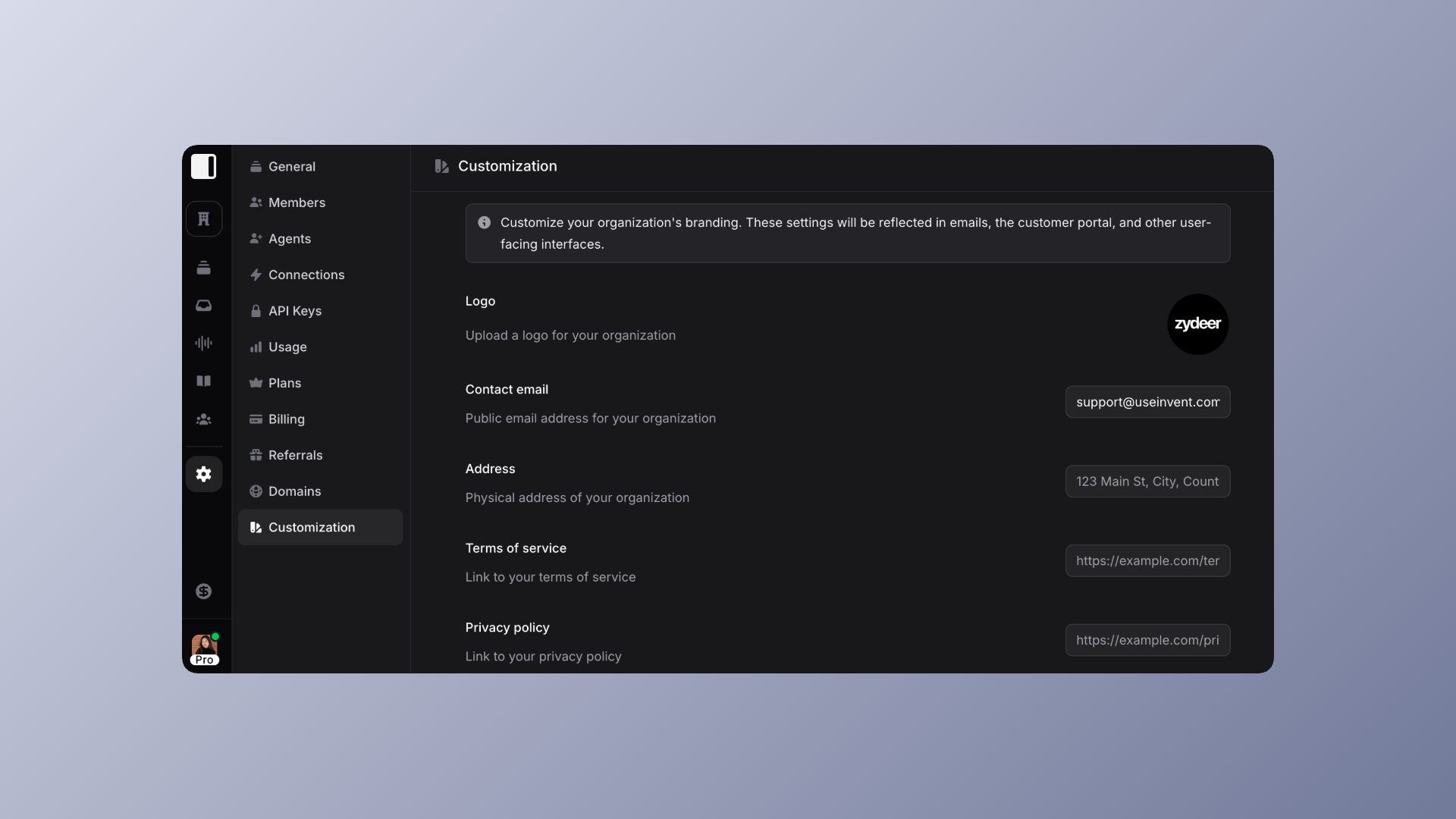
White Label is available for Partners and Enterprises, learn more on our Pricing page for more information.
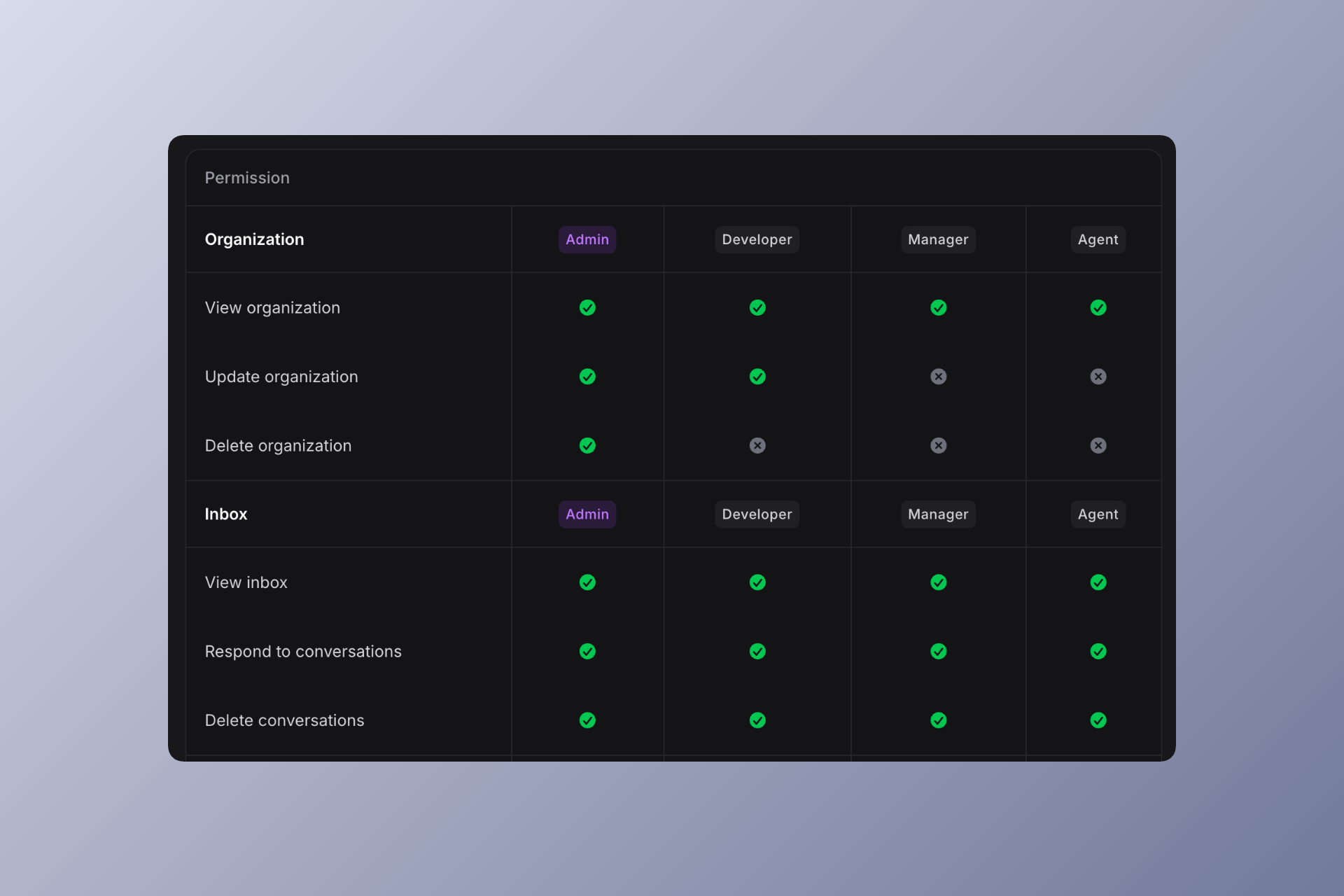
Roles keep access clean
Admin, Developer, Manager, and Agent each have different permissions, visible in the Members matrix (Settings>Members), so businesses and agencies can separate configuration, billing, and day‑to‑day support safely. Read more about Human Agents on our previous Changelog post.
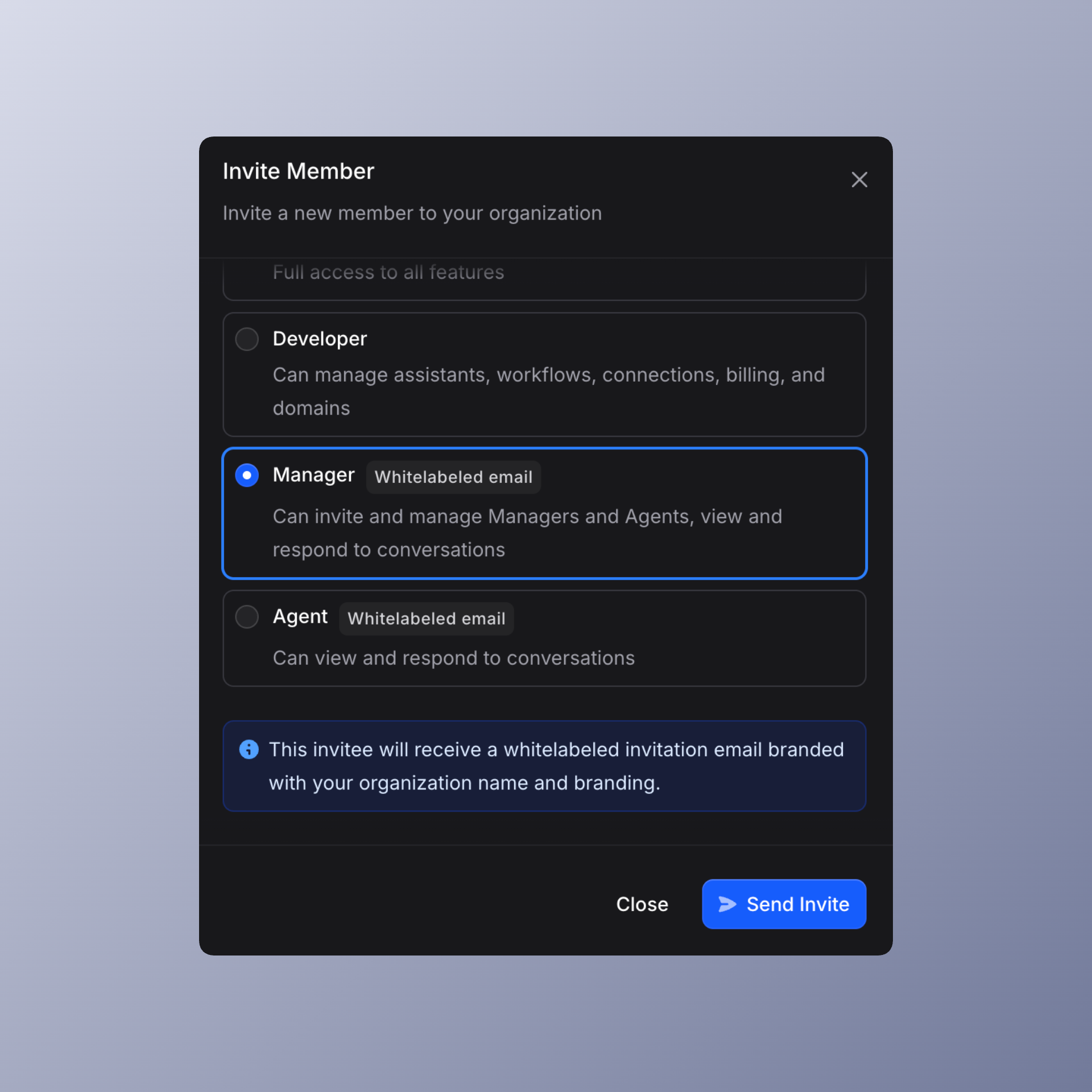
Invitations go out with your own white‑label branding for Managers and Agents, and all organization notification emails are sent from alerts@notify.app-emails.com with no external brand visible, while billing and low‑balance emails still come directly from Invent to Admins so you never miss an important account update.
Cal & Calendly actions
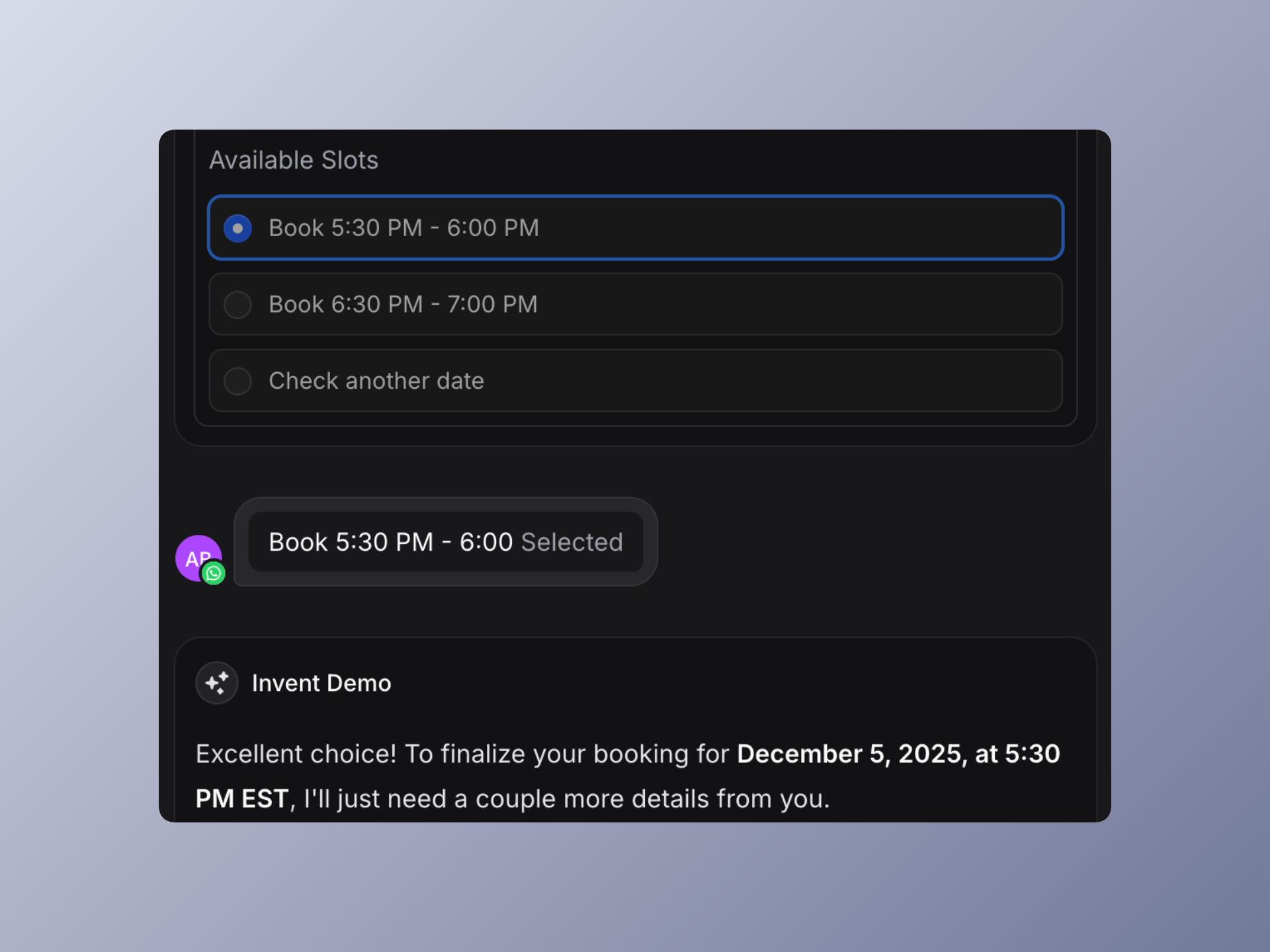
Cal and Calendly integrations are now ready under Actions so assistants can manage scheduling inside conversations pretty seamlessly instead of pushing users to separate forms. Two core actions should be enabled to power flows: one to fetch available slots or times for a given calendar or event type, and another to create a booking or event once the user confirms a choice.
This makes it easy to build assistants that propose times, handle rescheduling, and keep calendars in sync with other tools like CRMs or support systems, using the same action model you already use for Google Calendar and other integrations. You can test the scheduling capabilities through our Demo Invent Assistant on a hosted link, using specifically Cal integration. See all available actions through our Integrations page.
Contact Blocker
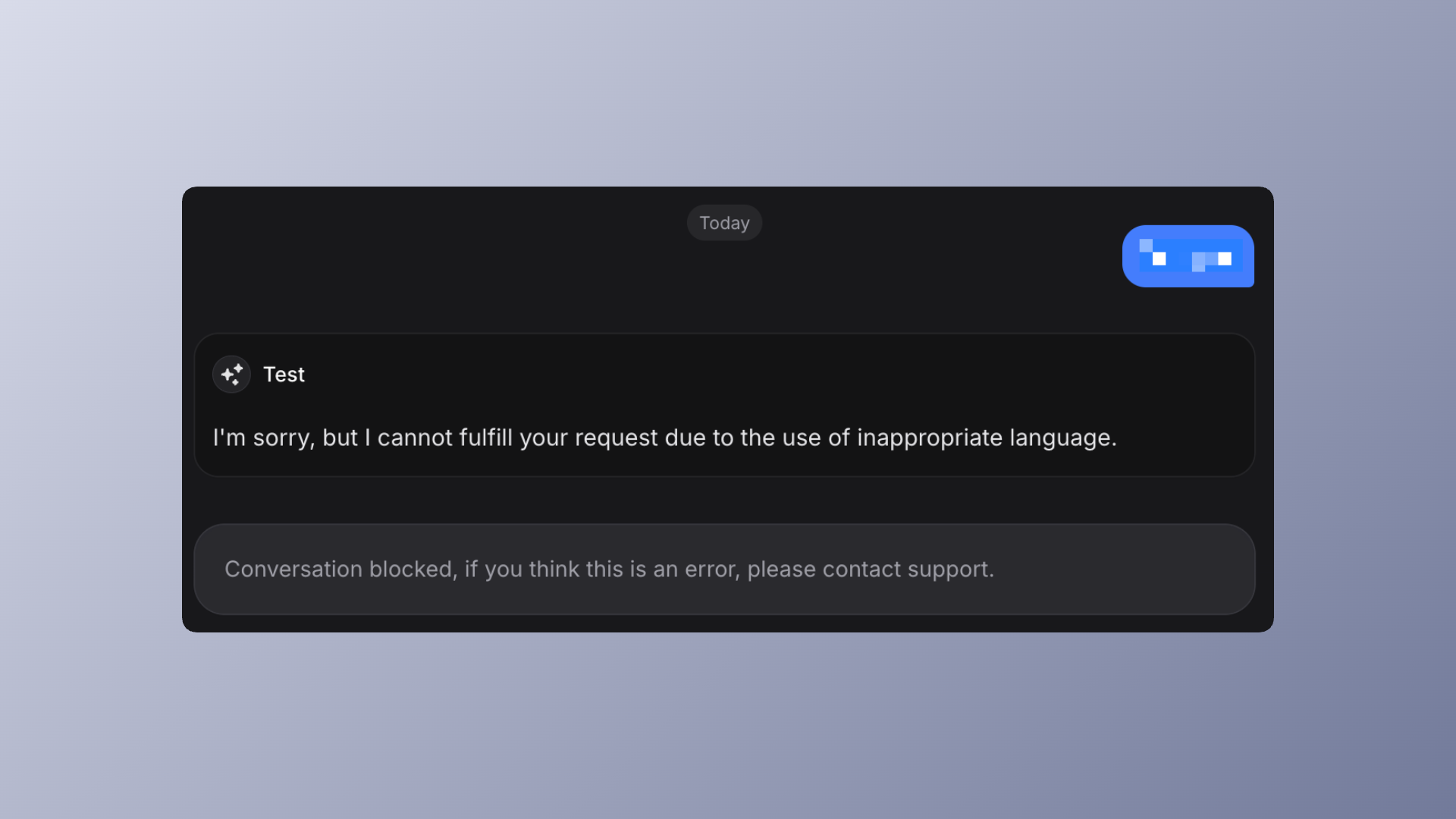
Contact Blocker helps keep your inbox and agents focused on real customers by letting you block a contact directly from the sidebar in Inbox when needed. If a user shows clear misbehavior, like repeated bad language or spammy content, the assistant can automatically flag and block that contact, while still allowing you to tune criteria through the system prompt and manual overrides.
You keep full control
Teams can unblock or adjust handling rules later, and assistants can be instructed to combine behavior signals (e.g. specific keywords, patterns, or channels) so only truly harmful or low‑value contacts are filtered out.
Why is this important?
The block feature is important because it shields your workflow, your information, and your team’s time by automatically stopping spammy or harmful contacts before they ever get through to people or critical systems.
Spam bots, fake leads, and abusive users can flood your CRMs and DM's, making your lead numbers look good on paper but adding no real value. By blocking these contacts with AI, you make sure your sales and support teams only deal with actual people and caring users. This means your conversion data is more accurate, your marketing budget isn’t wasted on bots or troublemakers, and you don’t waste any resources answering those ones.
With love,
Invent Team